On this page
Guide 8 of 11
Your Downloads
Every finished film comes with its separate tracks, so you can post it as it is or finish it yourself.
Open the film
Find it in Productions and open it. The film plays at the top of its page.
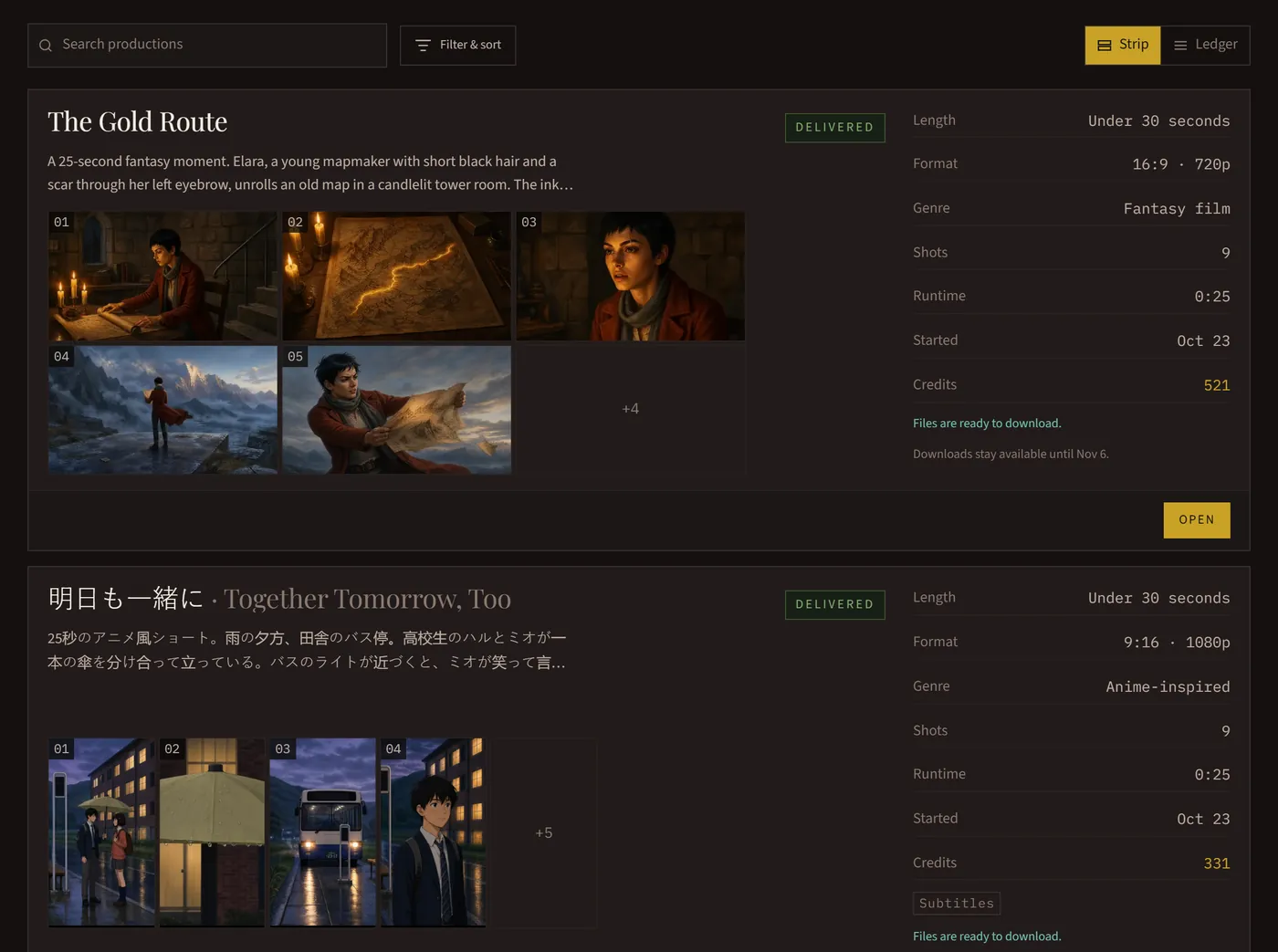
Save the files
Your files, beside the film, lists everything it made. Press a file to save it, or Download all to save them one after another (your browser may ask whether to allow several downloads).
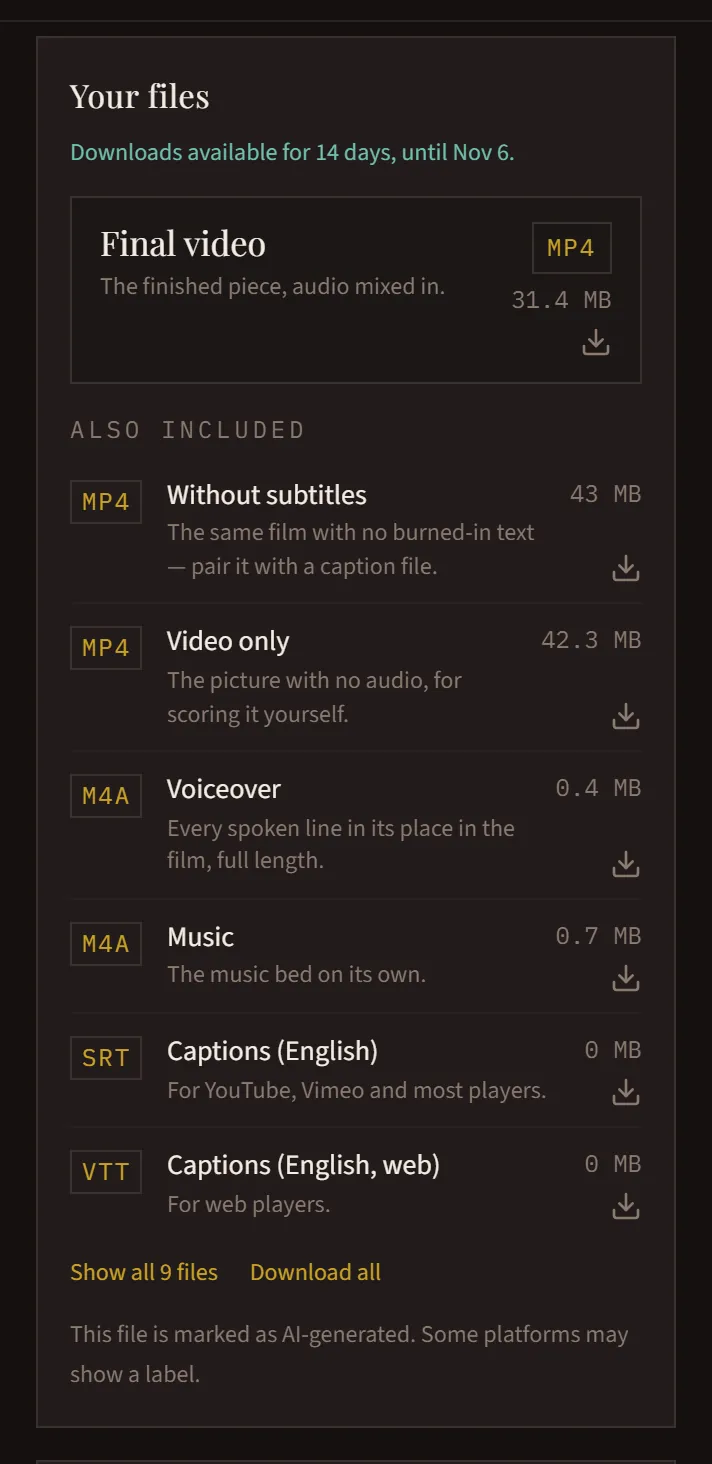
What each file is
Final video: the finished film with its sound. Without subtitles: the same film with no words drawn in. Video only: the picture with no sound, for scoring it yourself. Voiceover and Music: each track on its own, full length. Captions: .srt for YouTube, Vimeo and most players, .vtt for web players.
Finish it yourself
The separate tracks are the full length of the film and line up with it, so you can drop them on a timeline in your own editor to re-edit or re-score it.
Save them within 14 days
Files are kept for 14 days after a film stops (finished, stopped or paused) and then deleted. Its page stays, with its prompt and its cost, so download what you want to keep.
Marked as made with AI
Your files carry a marker saying they were made with AI, and some platforms may show a label.