On this page
Guide 5 of 11
Paused or Stopped Films
Most films run straight through. When one doesn’t, its page says why, and nothing it made is lost while it waits.
Find the films that need you
Cut Points lists every film waiting for you, at a cut point or paused for credits. A film’s page shows its status at the top.
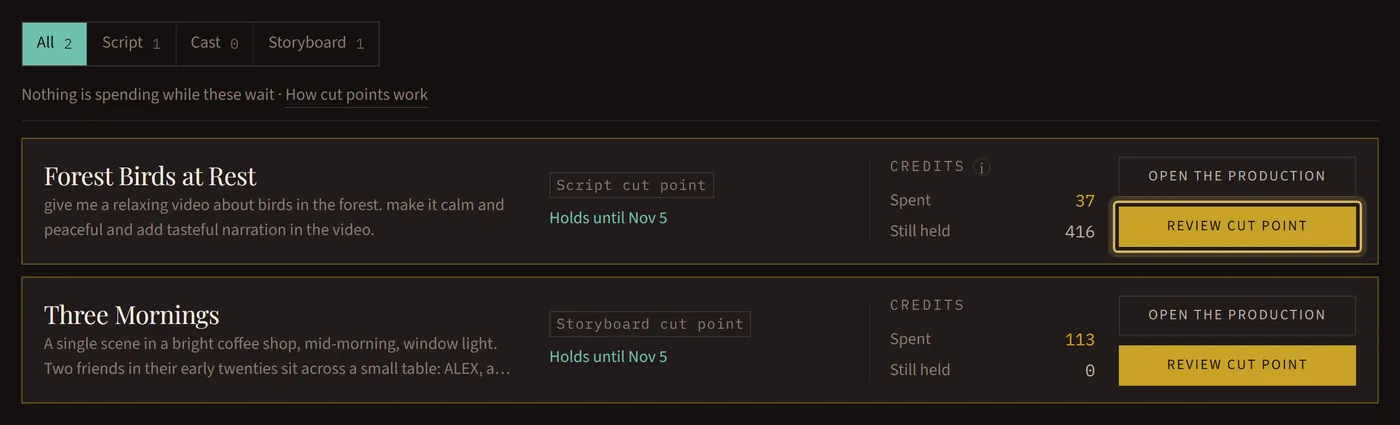
Waiting on you
The film stopped at a cut point you turned on. Open it, then keep what it made or ask for changes: Review Your Film at a Cut Point shows how.
Out of credits
The next step needs more credits than you have, so the film paused before it. Everything made so far is kept. Add credits, open the film and press Continue: it picks up where it stopped.
Paused while planning the film
Now and then a script takes more than was set aside for it, and the film stops before the script is done. Continue writes it again from the start, and you’re charged only for the script you get.
How long a pause lasts
A paused film holds for 14 days; the date is on its page. After that it closes for good: you’re charged only for what was made, the rest comes back, and its files are deleted.
Shots that couldn’t be made
If some shots couldn’t be put in motion, or some pictures couldn’t be drawn, the film stops at a cut point of its own and asks what to do with each one: keep a still picture, try another motion model, change what it shows, or make it a plain card. The free choices cost nothing.
Stopped
A film that couldn’t be finished isn’t charged: every credit it held comes back. Its page says what happened. Most of the time, running it again works; if it didn’t pass our content checks, reword the prompt first.
Canceled
You stopped it yourself. You pay for the work already done, the rest comes back, and a canceled film can’t be restarted.